RoomSketcher Reviews 370

TrustScore 4.5 out of 5

4.4

While we don't verify specific claims because reviewers' opinions are their own, we may label reviews as "Verified" when we can confirm a business interaction took place. Read more

To protect platform integrity, every review on our platform—verified or not—is screened by our 24/7 automated software. This technology is designed to identify and remove content that breaches our guidelines, including reviews that are not based on a genuine experience. We recognise we may not catch everything, and you can flag anything you think we may have missed. Read more

Review summary

Created with AI, based on recent reviews

Evaluating 132 reviews, reviewers overwhelmingly had a great experience with this company. Customers consistently find the platform user-friendly and intuitive, praising its clear layout and easy-to-learn interface, even for beginners. Many appreciate the efficiency of the product, noting how quickly they can create professional-looking floor plans and visualize spaces with features like drag-and-drop functionality and 3D views. The customer service is frequently highlighted as excellent, with people commending the quick, professional, and friendly support, including helpful webinars and one-on-one sessions. However, some customers also noted that certain aspects, like adjusting walls or furniture colors, are not immediately obvious, and some desire more customization options and a broader selection of furniture. A few other people also felt that the pricing structure, particularly the credit system and the cost of the Pro version, could be expensive or perceived as primarily profit-driven.

What people talk about most

User experience

Reviewers consistently express satisfaction with the user experience, highlighting the platform's intuitive... See more

Product

Customers consistently note positive experiences with the product, describing it as a very good and intuitive... See more

Customer service

Clients share positive opinions on customer service, consistently describing it as excellent, very good, and... See more

Price

Consumers find price to be ambiguous, with many reviewers considering the service to be reasonably priced and... See more

Application

Customers had positive experiences with the app, with many considering it a favorite due to its ease of use... See more

Reviews shaping this summary

Rated 4 out of 5 stars

RoomSketcher is very user friendly, I like the drag and drop and easy placement options. The rendering quality is superb and my clients enjoy being able to visualize the space with the 360 mode. I wou... See more

Company replied

Rated 4 out of 5 stars

Roomsketcher has a clear and simple layout and was easy to teach myself how to use. Anything I did not understand was easy to find out from youtube tutorials etc. Now I have been using it for seve... See more

Company replied

Rated 4 out of 5 stars

We were searching for a way to show our clients a room plan in 3-D and also an app that would offer a room capture option. Room Sketcher has provided both of those at a reasonable price point for our... See more

Company replied

Rated 4 out of 5 stars

After getting a hang of Room Sketcher, it’s easy to use, but initially things are not obvious like adjusting wall, measurements and colors of furniture, etc. Also, once you purchase Pro, that’s not th... See more

Company replied


Company details

  1. Software company
  2. Software Vendor

About RoomSketcher

Written by the company

RoomSketcher is professional floor plan software that makes it easy to create and share accurate, high-quality floor plans.
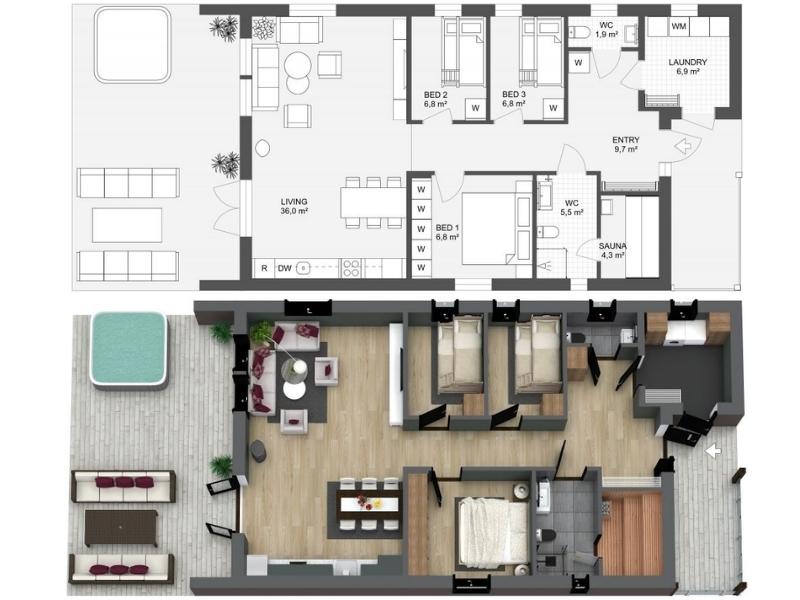
RoomSketcher Example
RoomSketcher gives you the flexibility to create floor plans in five different ways.

Draw your floor plans from scratch, order your existing blueprint to be redrawn, manually trace over existing sketches, use AI Convert to quickly transform existing plans, or scan floors with your phone into RoomSketcher (available on iOS).

With RoomSketcher, you can:
  • Create polished 2D & 3D floor plan visualizations in your style.
  • Work seamlessly across computers and tablets with cloud-synced projects.
  • Save time by letting our team quickly convert existing plans for you.
Trusted by thousands of real estate professionals, interior designers, and general contractors worldwide since 2007. We help you save time, impress clients, and boost your marketing with visuals that stand out.

Visit RoomSketcher’s Website

Contact info

4.4

Excellent

TrustScore 4.5 out of 5

370 reviews

5-star
4-star
3-star
2-star
1-star

Asks customers to review

This company invites their customers to review, whether positive or negative

Replied to 100% of negative reviews

Typically replies within 48 hours

How this company uses Trustpilot

See how their reviews and ratings are sourced, scored, and moderated.

Companies on Trustpilot aren't allowed to offer incentives or pay to hide reviews. Reviews are the opinions of individual users and not of Trustpilot. Read more

Rated 5 out of 5 stars

Great product for capturing my ideas

Great product. I was looking for a simple yet effective tool to help layout a bathroom remodel project I was working on. Room Sketcher had the features and simplicity to help me get up and running quickly (I'm not an architect or a designer, and even calling myself a DIYer is a bit of a stretch). In my head, I knew what I wanted things to look like, but this tool gave me the ability to put my ideas down on paper in a way that I could communicate with my contractor. Just what I needed.

11 November 2024
Unprompted review
RoomSketcher logo

Reply from RoomSketcher

Hello Kent,
Thank you so much for your glowing review! We really appreciate it. We're so happy to hear you find the app helpful and easy to use.

Kind regards, Team RoomSketcher

Rated 4 out of 5 stars

Impressed

Roomsketcher is new to me. I have no experience with technical drawing. But Roomsketcher is intuitive and I mastered the program quickly. I also received good and quick help from support when I had problems. Recommended!!

19 November 2024
Unprompted review
RoomSketcher logo

Reply from RoomSketcher

Hi kunde,
Thank you so much for this review. We are happy to hear you are satisfied with RoomSketcher. We appreciate you recommending us!

Kind regards, Team RoomSketcher

Rated 2 out of 5 stars

Roomsketcher has an old 2004 technology feel.

Roomsketcher functions like a software created in the 90's. Menu driven, not intuitive. It doesn't have any of the modern features that you would expect in a modern-day software written in the last 10 years. It does work, so I gave it a 2.

17 November 2024
Unprompted review
RoomSketcher logo

Reply from RoomSketcher

Hi Brian, thank you for your feedback. We would love to hear how we can improve. You mention some features we don't offer. Please write to us at support@roomsketcher.com and tell us where you feel we are lacking.

I'm glad to hear you do think our software works, even though you might have wanted it to work in a different way.

Kind regards, Team RoomSketcher

Rated 1 out of 5 stars

The software is not bad but support for…

The software is not bad but support for subscription is REALLY BAD. There is no phone number to call to fix subscription issues. In my case I want to upgrade but unclear what I need to do and no option to find out if they will credit the money I just paid today for it. You cannot use the 360 feature with the Premium package so you have to buy the Pro package. Also, there are very limited objects provided for walls, windows, materials, and furniture. You really need to upgrade to Pro to get it all and not sure what you get because they don't show you. I guess this is a "pay for the year" and see if the content included in the Pro version is much better.

13 November 2024
Unprompted review
RoomSketcher logo

Reply from RoomSketcher

Hi Lou Lou,
Thank you for your feedback, we appreciate it!
I'm sorry you to hear you were not satisfied with the support you needed when trying to upgrade your subscription. You can always reach out to us at support@roomsketcher.com and we will be more than happy to help.

I understand that you feel it is risky to upgrade to Pro without having tried the features first. We do offer a 30-day money back guarantee, so you can essentially purchase the Pro, try it for 30 days, and get your money back if you're not satisfied with the app. I hope this removes some of the risk and you feel more comfortable upgrading your subscription. I would also recommend joining our Pro Webinar to see our most popular features in action. You can read more about our webinars here: https://www.roomsketcher.com/webinars/

I hope this was helpful. Please let us know at the above-mentioned email address if you need any help.

Kind regards, Team RoomSketcher

Rated 4 out of 5 stars

Super simple and easy to work

Super simple and easy to work. I wish there were more styles for the cabinets. Definitely looking forward for more updates with more items.

2 September 2024
Unprompted review
RoomSketcher logo

Reply from RoomSketcher

Hi Jaylene,
Thank you so much for your kind review, we really appreciate it!
As for the cabinets, have you tried the Replace Materials feature yet? You can even enter your own HEX and RGB codes into the app to give the cabinets whatever paint color you want. You can read more about Replace Materials here: https://help.roomsketcher.com/hc/en-us/articles/115001446489-Replace-Materials-on-Furniture-and-Fixtures

I hope this was helpful.

Kind regards, Team RoomSketcher

Rated 5 out of 5 stars

I purchased the pro edition for one…

I purchased the pro edition for one year to allow enough time to think through a small cottage renovation. I have so far used the software for about 2 weeks and have found it easy to learn with amazing floor plan and 3D renditions.

6 November 2024
Unprompted review
RoomSketcher logo

Reply from RoomSketcher

Hi Deborah,
Thank you so much for your glowing review, we truly appreciate it!
Let us know at support@roomsketcher.com if you ever need any help.

Kind regards, Team RoomSketcher

Rated 1 out of 5 stars

Use a better option!

At first glance, RoomSketcher appears to be a solid, service-oriented program. We intended to use it to create an evacuation plan but encountered several issues that made it challenging to recommend.

Firstly, the "Blueprint" feature disappeared, causing our drawings to become fragmented or "lost." There was no straightforward layout or template suggestion, which would have saved significant time on details and easily have been automated or presented as options. Instead, a substantial amount of time was spent drawing individual elements that should have been simplified or at least supported with ready-made templates.

Another downside is that you must download the program to use it, creating a two-part setup process. It remains unclear why this split approach is necessary, as it would be far more convenient to have a streamlined, single-step setup. Additionally, having the flexibility to work offline or in the cloud would enhance usability and adaptability for various needs.

In light of these limitations, we recommend considering other programs or services that offer a more efficient, user-friendly experience for creating plans like these.

It all comes down to the program's interface and how much time you will spend "banging your head" in the wall, looking for solutions! Sorry, in 2024, this should be a "no brainer"!

6 November 2024
Unprompted review
RoomSketcher logo

Reply from RoomSketcher

Hi Kunde,

I'm sorry to hear you were not satisfied with RoomSketcher. We are grateful for your feedback, and I would like to address some of your concerns.

The blueprint you uploaded does "hide" if you close the app mid-project. To get it back, simply open the project where you originally uploaded the blueprint, click on the orange menu in the top left corner, and then click "Blueprint" under View. It will reappear. It is never gone, only hiding.

We do in fact offer a wide variety of ready-made templates that you can open and edit in the app. You'll find them all here: https://www.roomsketcher.com/floor-plan-gallery/
However, if you are creating the electrical plan for an existing property, you will have to draw that exact floor plan. Or, you can save time by ordering it from us. Then, all you have to do is open the floor plan in the app and add your electrical symbols!

The upside of having an app is that you can, in fact, work offline, which would not be possible with a web-based solution. Use your laptop or tablet offline in the field to draw the initial structure, and then open the project on your computer at the office to finish the job.

Again, thank you for your feedback. I urge you to reach out to us at support@roomsketcher.com with any questions you might have about the RoomSketcher software. We are more than happy to help!

Kind regards, Team RoomSketcher

Rated 4 out of 5 stars

Super helpful customer service

I had been using the free version of RoomSketcher for a while and then I realized how much more it could do so I upgraded to Pro. The free training was so helpful as she not only answered my questions, but told me about other features I didn’t know to ask about.
I was a little bummed to realize that levels could not be connected, but it’s not a huge deal working through that.

17 October 2024
Unprompted review
RoomSketcher logo

Reply from RoomSketcher

Hi C,
I'm so glad to hear you saw the value in upgrading to Pro and that your 1:1 training session exceeded your expectations!
Thank you for your feedback, we really appreciate it.

Kind regards, Team RoomSketcher

Rated 5 out of 5 stars

Easy to learn to use

Easy to learn to use. i do bathroom renovations so I wish I could do side elevations as well. also not limited with finishes..

25 October 2024
Unprompted review
RoomSketcher logo

Reply from RoomSketcher

Hi John,
Thank you so much for your kind review, we really appreciate it!

Have you tried using the camera tool to see you kitchen in a 3D elevation view? Or perhaps the Live 3D feature? You can read more about how they work here:

3D Snapshots:
https://help.roomsketcher.com/hc/en-us/articles/208846525-Take-Snapshots-and-Create-3D-Photos

Live 3D: https://help.roomsketcher.com/hc/en-us/articles/213187689-Live-3D-Overview

I hope this helps.
Kind regards, Team RoomSketcher

Rated 2 out of 5 stars

I can't design suspended ceiling nobody…

I can't design suspended ceiling nobody knows how to design it from help desk.
I have the same problem with barrel ceiling.

20 October 2024
Unprompted review
RoomSketcher logo

Reply from RoomSketcher

Hi Joanna,
Thank you for your feedback, we really appreciate it.

You are right that it is unfortunately not possible to create these kinds of ceilings with RoomSketcher.You can only create regular flat, and slanted ceilings.

If there is anything else we can help you with, please let us know at supportroomsketcher.com

Kind regards, Team RoomSketcher

Rated 5 out of 5 stars

Excellent program

Excellent program. I'm very happy with it. I took the 1hour training course and it was very helpful. Sarah is an excellent instructor and very knowledgeable.

18 September 2024
Unprompted review
Rated 5 out of 5 stars

Very happy with Roomsketcher Pro

I needed something to draw basic plans for my business. Having tried, and failed, with several others I tried the free option with Roomsketcher. I was OK but I quickly ungraded to Pro.

It is pretty simple to use but I took up the option of a free online training session with them. This was fantastic and really opened up what I can do with it. Since them I have produced several professional looking plans with our own branding. I have also been able to trace and scale plans from others for our own use.
I have no hesitation in recommending Roomsketcher to others. I have found the app to be the easiest to use of these I tried and decent value for the Pro level. The training was extremely useful and a great bonus.

27 September 2024
Unprompted review
Rated 5 out of 5 stars

Happy with Room Sketcher!

Ease of use and great one-on-one sessions.

17 September 2024
RoomSketcher logo

Reply from RoomSketcher

Hi Tracy,
Thank you for your review. Happy to hear you're satisfied with the program and the support!
Kind regards, Team RoomSketcher

Rated 3 out of 5 stars

needs more built in library

needs more built in library , library is absolutely not up to date. also features like half wall etc should be implemented

20 September 2024
Unprompted review
RoomSketcher logo

Reply from RoomSketcher

Hi Rachna,
Thank you for your feedback, we really appreciate it.
RoomSketcher has an extensive furniture library, but because the categories have an item limit, it is important to use the search button. When searching, try using synonyms as well.

You can absolutely create half walls in the RoomSketcher App. Here's how: https://help.roomsketcher.com/hc/en-us/articles/360000713169-Create-a-Half-Height-Wall

I hope this was helpful!
Kind regards, Team RoomSketcher

Rated 5 out of 5 stars

It’s so fun to have and use it

It’s so fun to have and use it. You can see the rooms as you're there and it helps people who can't imagine what it is like when they see the blueprint. I love making many different houses for just have fun!!

12 September 2024
Unprompted review
Rated 5 out of 5 stars

Really useful web based drawing package for planning a floor layout or new kitchen etc.

Found this when searching for a package to help sketch out the layout of a new cafe I've bought. Took a little while to get used to it, but when I did, I found it to be superb! I have ended up using the 3d drawing I created on the cafe website to show customers what is coming. Persevere and it is a really good tool for planning a new kitchen or room layout. I love it now!

11 September 2024
Unprompted review
Rated 1 out of 5 stars

Spammy

Received a lot of spam email shortly after giving them a unique email address. Proceed with caution.

9 September 2024
Unprompted review
RoomSketcher logo

Reply from RoomSketcher

Hi Jacob!
I'm so sorry to hear that you experienced our informational emails as a bit overwhelming - we are just so eager to ensure that you get the best possible start with RoomSketcher!

You can unsubscribe from our Newsletters by clicking on the Unsubscribe button at the bottom of the email. This will limit the number of emails you receive.

You're also welcome to reach out to our helpful Customer Service team with any questions you may have. You can reach them via email to support@roomsketcher.com

Kind regards, Team RoomSketcher

The Trustpilot Experience

Anyone can write a Trustpilot review. People who write reviews have ownership to edit or delete them at any time, and they’ll be displayed as long as an account is active.

Companies can ask for reviews via automatic invitations. Labeled Verified, they’re about genuine experiences.

Learn more about other kinds of reviews.

We use dedicated people and clever technology to safeguard our platform. Find out how we combat fake reviews.

Learn about Trustpilot’s review process.

Here are 8 tips for writing great reviews.

Verification can help ensure real people are writing the reviews you read on Trustpilot.

Offering incentives for reviews or asking for them selectively can bias the TrustScore, which goes against our guidelines.

Take a closer look